


 WhatsApp us for inquiries


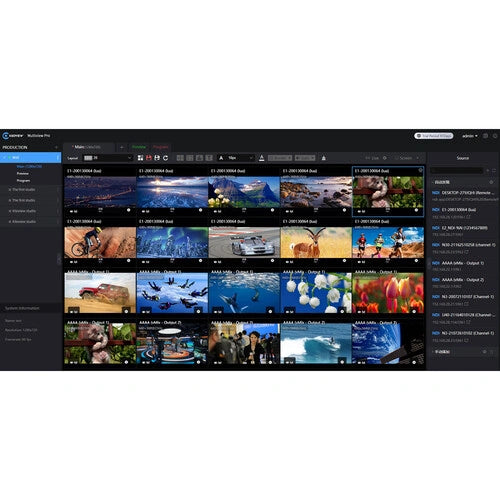
Monitor, switch, and centrally administer numerous NDI feeds in real time with Multiview Pro for Windows from Kiloview. The application accepts an unrestricted number of NDI sources and decodes multiple Full NDI, NDI|HX2, and NDI|HX3 channels at resolutions reaching 4K60. Professional monitoring features include VU meters, safe-area guides, a center cross, customizable source names, name-visibility controls, and screen borders. These tools suit television studios, reality programming, and multicamera PTZ conferencing.
From Manufacturer
The basic operation of Multiview Pro (1)
The basic operation of Multiview Pro (2)
Required System Configuration
- Storage: 1TB SSD (recommended)
- CPU: i7-11700 or 8-core, 16-thread CPU
- Memory: 32GB DDR4 RAM
- Network adapter: Intel X520-DA2 or 10G dual SFP+ NIC
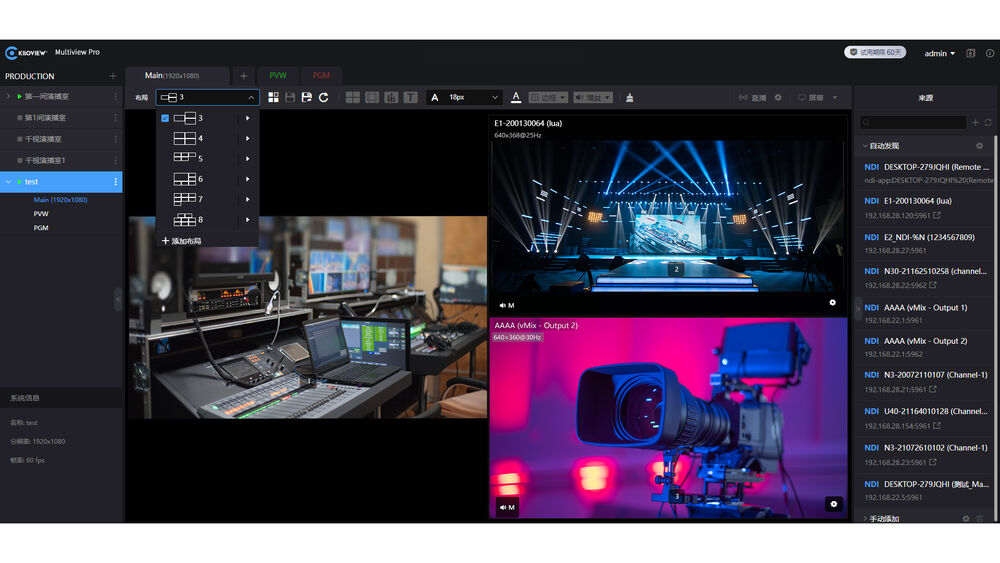
Accessible Interface with Detailed Permission Management
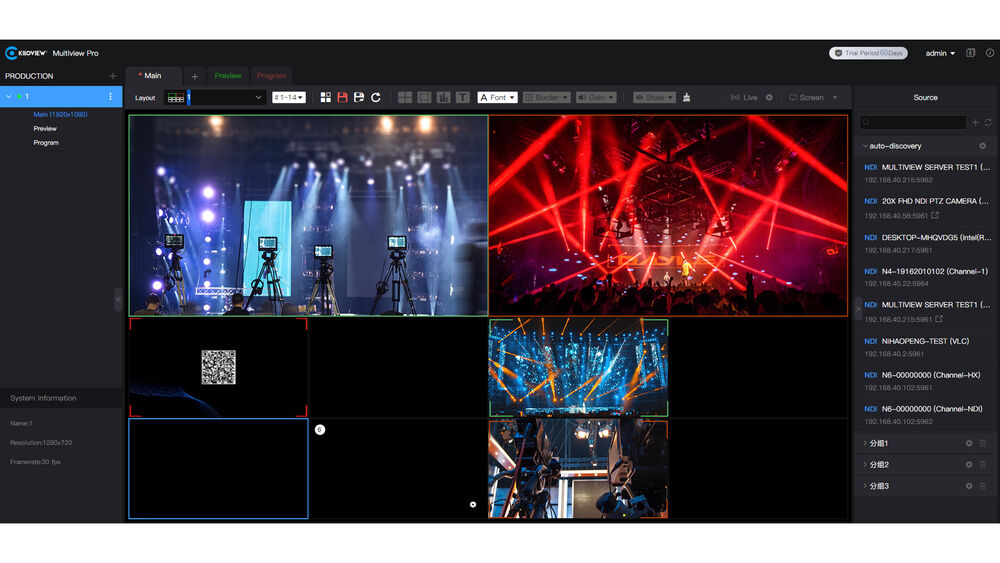
Create fully personalized projects, programs, camera groups, layouts, and related configurations for flexible switching and production control. Advanced access management can assign permissions according to the user, team, or project.
Flexible Tally Operation
Assign each display to Preview (PVW) or Program (PGM) to manage tally information for NDI sources. Live changes between the two modes carry the corresponding tally signal, adding flexibility to production switching.
Unlimited Source Expansion
Each screen accepts as many as 20 NDI streams, while one Multiview Pro player can contain unlimited screens. Full NDI, NDI|HX2, and NDI|HX3 are supported, with overall capacity determined only by server performance. The application selects either an NDI main feed or substream automatically.
Drag-and-Drop Layout Creation
Display several Full NDI, NDI|HX2, or NDI|HX3 feeds in a multiwindow view using PiP (Picture in Picture), PBP (Picture by Picture), or grids containing 1/2/3/4/5/6/7/8/9/16/20 sources. The drag-and-drop editor provides full control over thumbnails, names, resolutions, width, height, and horizontal or vertical alignment.
Remote Display Switching
Move video among several screens from a remote location. Content from the principal display can be sent elsewhere with one click or shown on another screen through manual or automatic control. Every individual feed can additionally be transmitted as an NDI output.
Adjustable Output Resolution and Frame Rate
Multiview Pro can combine its multiwindow presentation into an NDI feed, publish it as a source on the local network, and apply a custom resolution and frame rate.


