


 SKU: HDL-SMTV4K12G3
Blackmagic Design SmartView 4K G3 15.6" DCI 4K Broadcast Monitor with SMPTE 2110
Blackmagic Design SmartView 4K G3 15.6" DCI 4K Broadcast Monitor with SMPTE 2110
In stock
View full details WhatsApp us for inquiries


Blackmagic Smartview 4K G3: Guide
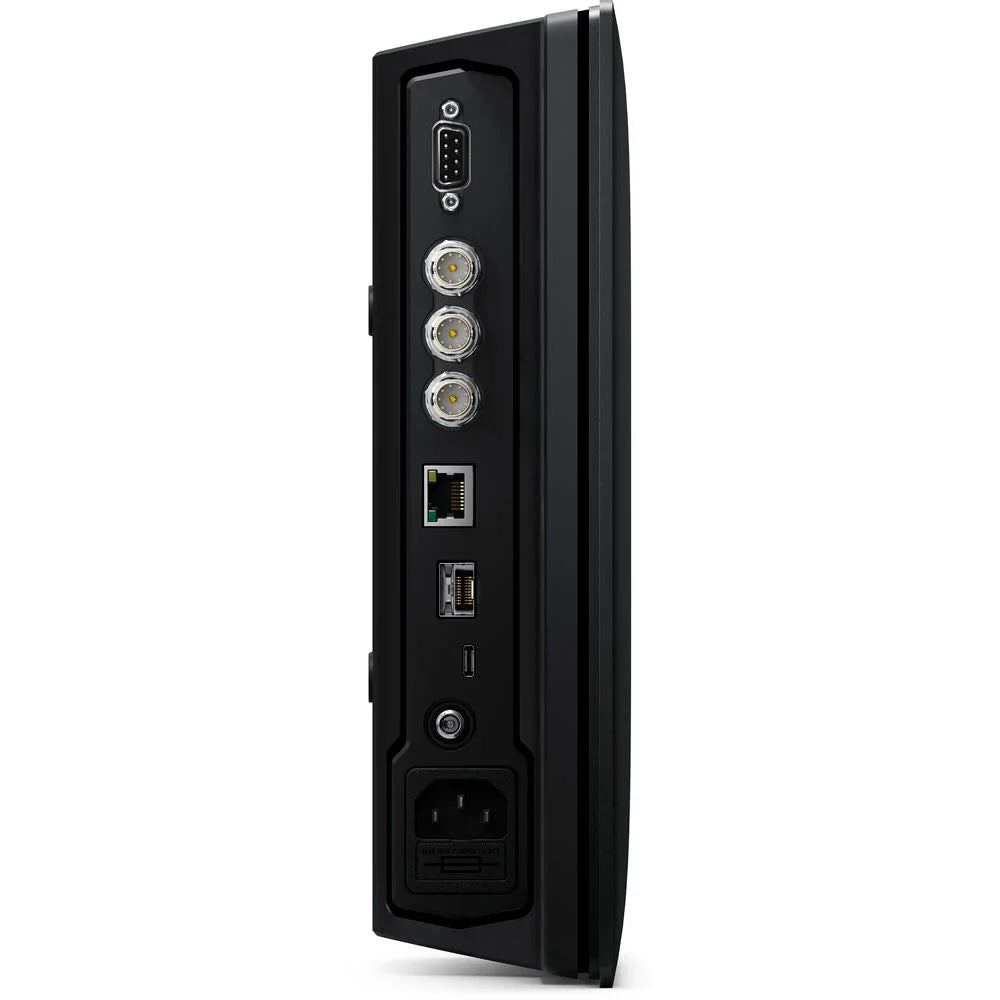
Beginning with its core design, the Blackmagic SmartView 4K G3 stands out as a professional-grade 15.6" TFT LCD monitor, boasting built-in optical and copper SMPTE?2110 IP footage links, facilitating direct integration with IP-based broadcast systems. Sporting a native definition of 3840 x 2160, it additional extends its versatility with two multi-rate 12G-SDI sources, maintaining seamless connectivity with numerous professional video equipment. These sources seamlessly transition between SD, HD, and 4K formats, supporting up to DCI 4K60, while its lightweight machined aluminum chassis and UHD 4K LCD screen maintain durability and reliable picture quality. On-screen overlays such as focus peaking, framing guides, and safe areas enhance usability, while built-in 3D LUTs supply flexibility for creative grading, log film gamma conversion, and custom HDR profiles.
 Adaptable Monitoring Solution: Guide

The BLackmagic SmartView 4K G3 caters to diverse observation needs, supporting both 12G-SDI and SMPTE 2110 IP footage resolutions up to UHD 4K60, making it a preferred choice for broadcast uses. Its extensive feature set, including focus peaking, zoom, aspect ratio markers, and tally, renders it indispensable for live productions. Moreover, its lightweight yet robust 6 RU aluminum construction maintains portability and durability, making it appropriate for fly packs and on-location usage.
Enhanced 3D LUT Monitoring through Blackmagic Smartview 4K G3: Guide
Bid farewell to the lackluster appearance of SDI sources encoded with log film gamma or HDR profiles—the SmartView 4K G3 incorporates 3D LUT support. This enables operators to remap SDI or 2110 source color spaces onto the SmartView 4K G3 screen or apply creative looks effortlessly. With the ability to upload 3D LUTs through the SmartView utility and export DaVinci Resolve color grades as custom 3D LUTs, operators can build an extensive library of captivating looks without incurring extra costs.
Blackmagic Smartview 4K G3 compatibility for Multiple Resolutions
Equipped with high-performance 12G-SDI and 10G Ethernet-based 2110 IP sources, all of which are multi-rate, the SmartView 4K G3 seamlessly allows varying resolutions, from lower-resolution SD for archival purposes to HD for broadcast and 2K UHD for feature film uses. Furthermore, it adheres to UHD footage standards across both its 12G-SDI and 10G Ethernet-based 2110 IP footage inputs, supporting future-proof compatibility with evolving television standards via convenient software updates.
Customizable Markers and Front Panel Controls
Equipped with an extensive array of front panel observation functionalities, the SmartView 4K G provides convenient access to several controls. Among these are a source selector button, facilitating seamless switching between the two 12G-SDI footage sources and the 2110 IP footage input. Extra controls encompass brightness adjustment, horizontal and vertical display settings, blue-only setting, zoom operation, focus peaking, 3D LUT selection, and the ability to overlay up to four customizable on-screen markers.
Blackmagic Smartview 4K G3 offers NMOS Protocol for Virtual signal routing
The Blackmagic SmartView 4K G3 is engineered to support the NMOS interface specifications, enabling seamless integration and operation of all your 2110 IP footage devices as part of a cohesive virtual routing system. Additionally, it delivers compatibility with Videohub Smart Control, empowering routing of sources to destinations inside 2110 IP networks by functioning as a NMOS controller. The NMOS interface specification delineates the discovery and control mechanisms for SMPTE 2110 devices across IP networks. Leveraging IS-04 for device discovery and registration, and IS-05 for link management, the SmartView 4K G3 facilitates seamless establishment of links between sources and destinations akin to traditional SDI routing.
Windows and Remote Control Software for macOS
Simplified management and configuration of the Blackmagic SmartView 4K G3 can be achieved through the free SmartView utility software, provided for both macOS and Windows platforms. This intuitive software permits users to refine settings and perform software updates conveniently. Moreover, operators can customize monitor names for easy identification inside larger systems and toggle between 3G-SDI level A and level B formatting. To bolster security measures against unauthorized network access, Ethernet operation is initially disabled but can be activated whenever connecting via USB.
Direct Integration: SMPTE 2110 IP Networks
The SmartView 4K seamlessly integrates with SMPTE?2110 standard-compliant IP footage systems, offering both optical fiber and copper 10G Ethernet links. This function empowers operators to construct cutting-edge IP footage setups effortlessly. SMPTE?2110 defines the transmission, synchronization, and metadata of footage, audio, and ancillary data over IP networks for broadcasting purposes. It encompasses support for uncompressed footage under SMPTE?2110-20, the Blackmagic IP codec for high frame rate Ultra HD, SMPTE?2110-21 for traffic shaping/timing, SMPTE?2110-30 for audio, and SMPTE?2110-40 for ancillary data support. Moreover, the SmartView 4K enables the chosen video source to be routed via the 10G Ethernet SMPTE?2110 IP link with broad multicast support to several destinations.
Tally Border Functionality: Guide
Equipped with support for the Blackmagic SDI Tally Protocol, the SmartView 4K G3 integrates an illuminated colored border surrounding the picture, with red indicating "on-air" and green indicating "preview". This standard tally protocol is utilized across all ATEM live production switchers, simplifying interfacing by enabling the monitor to receive both the picture and tally information via a single BNC cable connected to the switcher's SDI feeds. This maintains seamless communication between the director and camera crews, with tally information relayed back to the SmartView 4K via the SDI footage feed during live switching operations.
Customized distance-based Solutions for Blackmagic Smartview 4K G3
The Videohub platform incorporates a robust remote control protocol, facilitating the creation of tailored remote control solutions for seamless integration of the SmartView 4K G3 into broadcast systems. Featuring a user-friendly, text-based protocol, it is easily understandable and can be experimented with through a Telnet client. This flexibility enables the development of custom control solutions across numerous computer platforms and embedded hardware such as Raspberry Pi and Arduino. The protocol grants full control over LCD settings including brightness, contrast, saturation, tally, source selection, and 3D LUT activation. Exploring the protocol is straightforward; operators can log in through a Telnet app and refer to the diverse documentation provided in the SmartView 4K manual to test each command effectively.
Locate us: https://goo.gl/maps/YZQmjfG5vYQS3ZLU7
Key Featu res
- 15.6" 3840 x 2160 Active-Matrix TFT LCD
- Supports up to DCI 4K60 Video
- SMPTE 2110 IP In via RJ45, Optical Fiber
- 2 x Multi-Rate 12G-SDI Inputs
- 1 x Optical Fiber SDI Socket
- 12G-SDI Loop-Through Output, Tally Input
- SD/HD Upscaling, Dual 3D LUT Support
- Peaking, Zoom & Adjustable Markers
- H/V Delay, Blue Only & Frame Markers
- Front Panel & Ethernet Control
Shop by Categories


Explore other brands


