

 SKU: DISKMDOCK4/U10G
Blackmagic Design MultiDock 10G
Blackmagic Design MultiDock 10G
In stock
View full details WhatsApp us for inquiries
Blackmagic Design MultiDock 10G — Product Guide
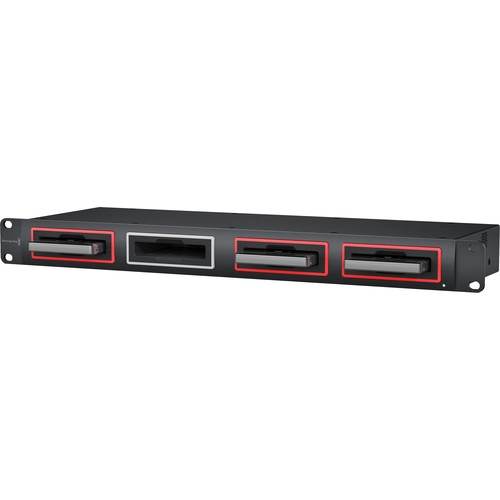
The Blackmagic Design MultiDock 10G by is developed as a fast, 4-slot SSD dock that you can use to edit straight from your media disks.
Up to four 2.5" disks can be accessed over a one 10 Gb/s USB Type-C connection, while an separate SATA driver chip on every disk slot maintains fast transfer speeds.
You can connect straight to a Mac or Windows computer that has a USB Type-C port, and no software requirements to be installed and employed in the process.
The MultiDock 10G works well with the optional HyperDeck Extreme 8K in numerous recording and playback processes thanks to the matching USB Type-C Outboard Disk port on the HyperDeck.
The MultiDock has a 1 RU rackmount configuration and can be installed right on top of the HyperDeck Extreme in a rack or console for a smooth process.
It can additionally be employed simultaneously with two HyperDeck Extreme units (see below).
All-Metal Rackmount Construction
The MultiDock 10G integrates a 1 RU all-metal configuration for use in any professional rack.
Every disk slot has an illuminated disk indicator so you can see whenever disks are being accessed.
The configuration is additionally repairable so you can replace the socket connector in every slot. Simply plug into any USB Type-C Mac or Windows computer port and start through it eliminating any software installation needed.
The rear panel provides two USB Type-C links and a slide switch to enable selecting between through four disk slots on a one USB Type-C port, or two slots on every port for shared use.
Plus, the built-in AC power supply supplies the power to run four SSDs or hard disks, at the identical time.
Practical Notes: Edit and Dock
The MultiDock 10G accommodates up to four separate 2.5" SSDs so it's possible to edit straight from the disks you captured onto.
Simply plug in your SSDs and they will connect to your Mac OS X and Windows computers such as regular hard disks.
Since the MultiDock provides four separate disk slots, you can fitting all your media from a shoot all at the identical time.
Blackmagic MultiDock 10G can be employed for accessing media captured with the URSA Mini Pro SSD Recorder.
It's additionally an appropriate option for attaching SSD compatibility to the HyperDeck Extreme 8K, as it will let you interchange disks between HyperDeck Soundstage versions.
You can even stripe several disks together for a superfast RAID array.
Superfast Solid State Disk compatibility
With MultiDock 10G it's possible to plug in any brand of 2.5" SSDs, or, if you requirement high-capacity backup at low cost, a regular 2.5" laptop hard disk can be employed.
Best of all, the driver is constructed into the working setup so no extra software is required.
You can additionally find more here.
Extreme 10 Gb/s USB Type-C Speed: Guide
MultiDock 10G uses enhanced USB Type-C architecture so you get fast transfer speeds to your computer at up to 10 Gb/s with a one cable link.
That's more than enough bandwidth to accommodate 8K definition in H.265 from the optional HyperDeck Extreme 8K.
MultiDock 10G provides a completely separate disk connection chip per disk slot, so you never get slowdowns since of SATA bandwidth issues.
Even though you get all four disks connected to a one USB Type-C link, you can additionally split the MultiDock 10G and get two disks on one USB Type-C port and two disks on the second port. This is excellent for dual computer use or for increased responsiveness.
adaptable RAID media handling
The built-in power supply of the MultiDock 10G maintains no power is employed from laptop battery packs and it has enough power to run four high-performance disks all at the identical time in RAID configurations.
Blackmagic MultiDock 10G even accommodates the RAID software constructed into most working systems, so you can configure your disk array for your requirements.
Each disk slot additionally incorporates an attractive illuminated disk availability indicator so you can see whenever your disks are being accessed.
Use: Any Software
Since SSDs are so fast, you can attach up to four media disks to editing software such as DaVinci Resolve, Final Cut Pro X, Premiere Pro CC, Avid Media Composer, Autodesk Smoke, and others.
Works: HyperDeck Extreme 8K HDR
Whenever you plug MultiDock into the HyperDeck Outboard Disk port, it can see the SSDs and use them for capture.
When through two HyperDeck Extreme units mounted side by side, it's possible to selector to 2-channel setting and use two disks with every HyperDeck.
This additionally means it's possible to use two computers with a one MultiDock, one through each channel.
Alternatively, several rackmount servers can availability the same MultiDock.
Whenever a SSD is inserted in MultiDock, it can be seen on the HyperDeck Extreme on-screen menus, and you can choose it for capture and playback.
Move Media between Editing Systems: Guide
If you're working in large sites, then MultiDock 10G enables media disks to be relocated simply by unplugging the disks and walking to a new on-location.
That eliminates slow file copying and there is no requirement for involved installation storage.
This means you get the latitude to change and move your process as your client demands.
You can even make your job from an editing room into a purpose-built DaVinci Resolve colour correction room and then move to a broader theater-style room whenever your client arrives to inspection your job.
With immediate unplugging of media, you eliminate clunky devices hanging off leads. Plus, you can always availability the disks right from the front of the rack hardware.
For more information click here.
[caption id="" match="alignnone" width="1000"]
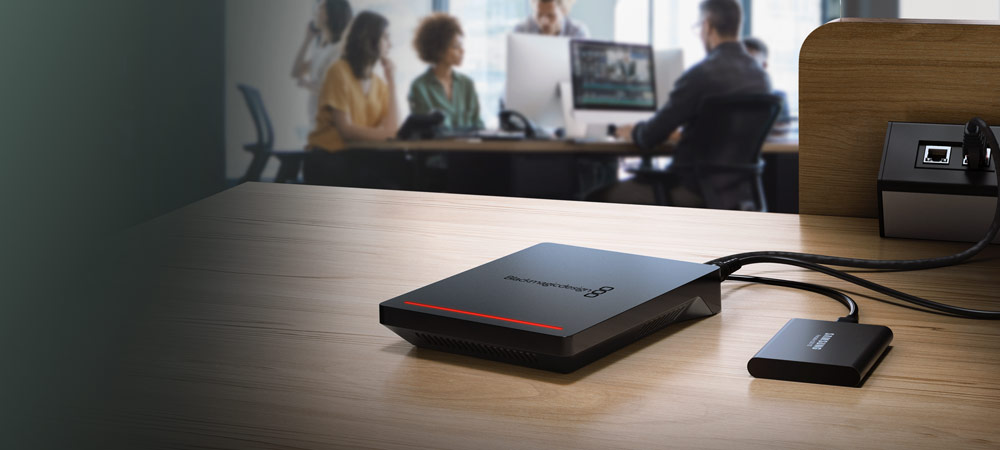 Blackmagic Design MultiDock 10G [/caption]
Key Features
- 4-Slot SSD Dock, 10 Gb/s USB Type-C Port
- Independent SATA Driver Chip per Slot
- Connect up to 4 Disks to Popular NLEs
- 2.5" SATA 3 6 Gb/s SSD Interfaces
- 1 RU All-Metal Rackmount Design
- Seamless Workflow with HyperDeck Extreme
- Flexible RAID Storage
- Mac/Windows Compatible
Shop by Categories


Explore other brands


