

 SKU: DV/RESSTUD
Blackmagic Design DaVinci Resolve Studio (Activation Card)
Blackmagic Design DaVinci Resolve Studio (Activation Card)
In stock
View full details WhatsApp us for inquiries
A Closer Look at Blackmagic Design Davinci Resolve Studio
Looking first at image acquisition, Blackmagic Configuration DaVinci Resolve Studio is a editing environment suited to everything from individual productions through feature work and visual effects. The Color page integrates new HDR grading tools, an AI-based magic mask for targeted grading, and a color warper. Fairlight makes available a faster process with updated mouse and keyboard edit selection tools. Fairlight adds a redesigned audio engine and bus architecture for real-time editing across 2,000 tracks.
The Cut tab supplies Smart Reframe for social media among other new functions. The Edit page has many improvements to process and now makes possible independent proxy files created either inside the application or by outside third-party tools. Fusion delivers new capabilities such as custom vector shapes. Additionally, compositions created in Fusion can now be used through the Cut and Edit pages as effects, titles, or transitions.
DaVinci Resolve provides a diverse editing experience by combining distinct editors in one platform, across distinct tabs at the bottom of the interface. Between these distinct tabs, you get full-featured enhanced solutions for footage editing, color correction, visual effects, motion graphics, and audio post-production. DaVinci Resolve is additionally constructed to work fast and efficiently and to handle large projects with collaboration. You can work with up to 8K footage and a wide variety of formats. Toolsets are provided for enhanced HDR editing, 3D stereoscopic processes, social media content, and much more.
Your order delivers you with an activation card by mail. The card supplies an activation code that installs and operates the application on two computers.
Feature Highlights — Blackmagic Design DaVinci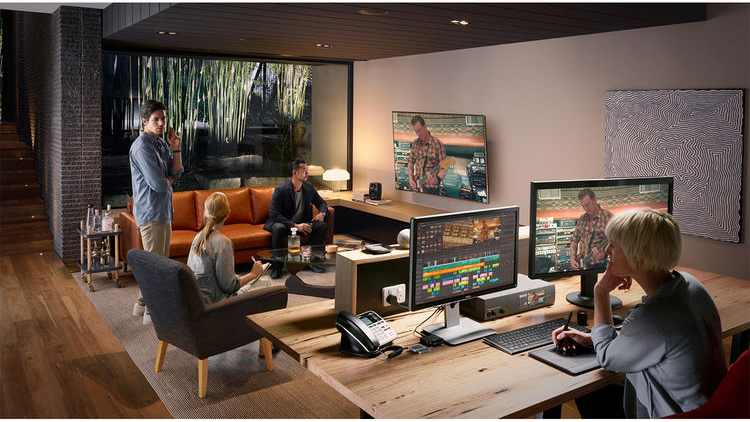
- Blackmagic Cloud to host and manage cloud-based project libraries.
- Collaborate securely over the internet using Blackmagic ID.
- Support for intelligent path mapping to relink files automatically.
- Vastly improved project library performance for network workflows.
- Improved project performance, especially when working on large projects.
- New Proxy Generator app for auto-creating proxies within watch folders.
- Ability to choose between prioritizing proxies or camera originals.
- Proxy files in subfolders are automatically assigned in the media pool.
Edit and Media
Stabilize Blackmagic Pocket Camera clips with camera gyro metadata.
New subtitle improvements, including:: Guide
- Support for timed text TTML, XML, and embedded MXF/IMF subtitles.
- Ability to view and import subtitles from media storage.
- Support for relinking subtitle clips from the media pool.
- Subtitle region support with multiple simultaneous captions per track.
- Set individual presets and text positions, and intuitively edit between regions.
- Add, rename, and manage regions from the timeline context menu.
- Ability to export TTML subtitles from the track header context menu.
- Ability to import, export, and embed multiple subtitle tracks as TTML.
- Support for reversing shape, iris, and wipe transitions on the edit page.
- Support for showing up to 25 simultaneous multicamera angles on the viewer.
- Edit Index now shows clip duration.
- Ability to navigate keyframes outside trimmed clip extents.
- Ability to navigate retime keyframes using hotkeys.
- Smart bin filter for disabled timelines.
- Render in place and open in Fusion actions can be assigned shortcuts.
- Reset Fusion composition now works on multiple clip selections.
Color: Guide
- New object mask capability in Magic Mask.
- Adjustment clips and Fusion generators can bypass color management.
- Support for syncing clip groups in remote grading sessions.
- Ability to trigger bidirectional tracking from advanced and mini panels.
- Support for matte finesse and 3D qualifier in advanced and mini panels.
- Dolby Vision highlight clipping support in advanced panels.
- Support for bypassing color outputs from advanced panels.
- Add key mixers with auto-connected key outs from advanced panels.
- Support for bidirectional tracking in advanced panels.
- Support for fast review playback mode in advanced panels.
- ACES support for Blackmagic Gen 5 camera formats.
- Support for the HDR Vivid standard.
- Reference gamut compression is enabled by default in ACES 1.3.
Resolve FX: Guide
- New Resolve FX Depth Map to generate 3D depth-based keys in Studio.
- New Resolve FX Fast Noise.
- New Resolve FX Despill.
- New Resolve FX Surface Tracker for tracking warped surfaces in Studio.
- Improved Resolve FX Beauty with new ultra mode.
- Improved edge strength and filter controls in Resolve FX Edge Detection.
- Option to composite from a second input in Resolve FX Transform.
- New bokeh preset for Resolve FX Lens Reflections.
- Green-purple control for Resolve FX Chromatic Aberration.
- Sizing awareness option in Resolve FX lens flare and radial and zoom blurs.
Fairlight: Guide
- Ability to convert fixed bus projects to FlexBus in project settings.
- Ability to freely order tracks and buses in the mixer via the track index.
- Ability to nudge custom millisecond or sub-frame intervals in the timeline.
- Improved quality for time-stretched audio.
- Improved Dolby Atmos immersive mixing, including binaural monitoring.
- Native support for Dolby Atmos production for Linux and Apple silicon.
- Independent controls to enable automation and expose parameters.
- Improved behavior of automated tracks under VCA control.
- Improved meters with configurable decay, peak hold, and display modes.
- Ability to ctrl-alt click to remove gain and elastic wave keyframes.
- Ability to double-click a clip in the timeline to rename.
- Ability to set record clip name prefix at a per-track level.
- Support for renaming underlying tracks when renaming a linked group.
- Equalizers with improved Q controls and mouse wheel inputs.
- Dynamics with enhanced metering, gain display, and enable controls.
- Dynamics with improved dry mix, soft knee, and metering in FlexBus.
- Improved plug-in management with replace and copy settings in the mixer.
- New built-in presets for equalizers and dynamics.
- Hold shift and double-click clips to extend the edit selection range.
- Support for applying audio gain on range selection.
- Improved waveform display accuracy under crossfades.
- Origination time metadata is now persisted when bouncing mix to track.
- Option to trim from unity on the Fairlight Desktop Console.
- Support for VCA and bus spill on the Fairlight Desktop Console.
- Support for using the Fairlight Desktop Console on Linux systems.
- Studio monitoring support for FlexBus on consoles.
- Fairlight console option to mute speakers on timeline load.
- Support for chasing timecode via Fairlight audio interfaces.
- Support for user views in the Fairlight Desktop Console.
- Improved mapping for audio effects on the Audio Editor panel.
- Ability to use alt + solo to invoke solo safe in the Audio Editor panel.
- Support for a new clear mutes action in the timeline menu.
- Enabling track mixer controls brings a window to focus if already open.
- Grid and list modes are persisted for patch, bus, and VCA assign.
Fusion: Guide
- Multi-button mode selection in the inspector for multiple tools.
- Support for all modern and future Python 3 versions for scripting.
- Support for live previews when using the Text+ color picker.
- Multiple new composition blend modes.
- New expression animated Custom Poly modifier for masks and strokes.
- Faster GPU-accelerated paint tool with smoother strokes.
- Faster duplicate tool with additional blur, glow, and size controls.
- Improved fade-on and text ripple title performance.
- Improved performance for night vision, glitch, TV, and other effects.
Minimum System Requirements for Windows: Guide
Windows 10 Creators Update
16GB of system memory, 32GB whenever using Fusion
Blackmagic Configuration Desktop Video 10.4.1 or later
Built-in GPU or discrete GPU with at least 2GB of VRAM
GPU that accommodates OpenCL 1.2 or CUDA 11
A GPU driver version appropriate for the installed NVIDIA, AMD, or Intel hardware
Minimum System Requirements for Linux: Guide
CentOS 7.3
32GB of system memory
Blackmagic Configuration Desktop Footage 10.4.1 or later
Discrete GPU with at least 2GB of VRAM
GPU that accommodates OpenCL 1.2 or CUDA 11
NVIDIA/AMD Driver version–as required by your GPU
Locate us: https://goo.gl/maps/YZQmjfG5vYQS3ZLU7
Key Features
- Over 100 New Features & 200 Improvements
- 8K Editing & Color Correction
- Advanced HDR Editing
- AI-Based Magic Mask for Targeted Grading
- Next Gen Audio Engine; Edit 2000+ Tracks
- Use Fusion Compositions in Cut/Edit Tabs
- Proxy Media Workflows
- Smart Reframe for Social Media
- DaVinci Neural Engine Face Detection
- Mac, Windows & Linux Compatible
Shop by Categories


Explore other brands


